
Most people set goals in January and forget them by March. With Notion, you can design a system that keeps you accountable year-round.
Whether it’s fitness, business, or daily habits — these Notion goal trackers turn ambition into measurable progress.
After testing dozens of goal-tracking templates, I shortlisted the 19 best Notion Goal Tracker templates that balance design, simplicity, and motivation.
From minimalist dashboards to advanced OKR systems, each one helps you set smarter goals and stay consistent all year long.
🏆 Top Picks: Best Notion Goal Tracker Templates
| Category | Template Name (Creator) | Price | Why It Stands Out |
|---|---|---|---|
| Best for Beginners | Easlo’s Goal Tracker | Free | Minimalist and effortless — ideal for anyone just starting goal tracking in Notion. |
| Best for Structure (SMART Framework) | SMART Goals Tracker by Fayedinua | $9 | Uses the SMART method to turn vague resolutions into clear, measurable goals. |
| Best for Life Planning | Life Goals OS by Edwindoit | $39 | Designed for long-term vision building, connecting personal and professional goals. |
| Best All-in-One System | Life OS by Gridfiti | $49 | Combines tasks, habits, and goals in one dashboard — perfect for Notion power users. |
| Best Value for Money | Balance OS 2.0 by Karl Gam | $15 | Stylish, modern, and packed with features at an affordable price point. |
| Best for Deep Work & Productivity | Ultimate Brain by Thomas Frank | $49 | Industry-favorite that combines goal tracking with powerful task management. |
🔥 Best Premium Notion Goal Tracker Templates
These premium notion goal tracker templates are perfect if you want powerful goal dashboards, analytics, and deep integrations — ideal for professionals and productivity enthusiasts.
1. Easlo’s Notion Goal Tracker — 💰 Free
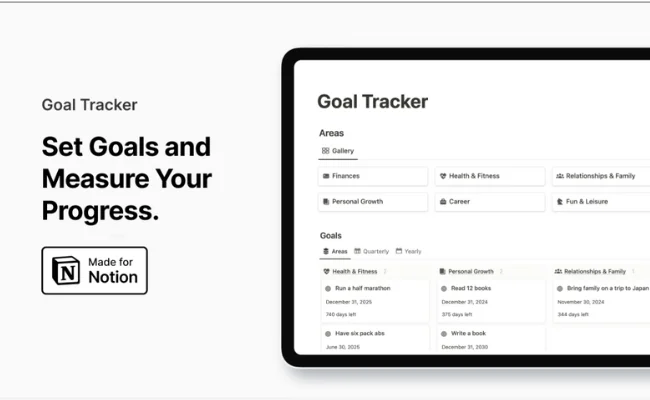
This was my first-ever goal tracker in Notion, and it hooked me instantly. The interface is clean, minimal, and takes less than two minutes to set up. I used it for fitness and reading goals — it helped me stay consistent without any distractions. A simple system that quietly gets the job done.
Key Features:
• Simple, pre-built goal dashboard.
• Easy tagging and progress columns.
• Works well on both desktop and mobile.
Pros
• Extremely beginner-friendly.
• Takes almost no setup time.
Cons
• No analytics or visual dashboards.
• Basic structure only.
Best For: Anyone new to Notion who wants a clutter-free start.
My Take: When you’re just starting your Notion journey, this is the perfect place to begin.
→ Get Easlo’s Goal Tracker For $9
2. SMART Notion Goal Tracker (by Fayedinua) — 💰 $9
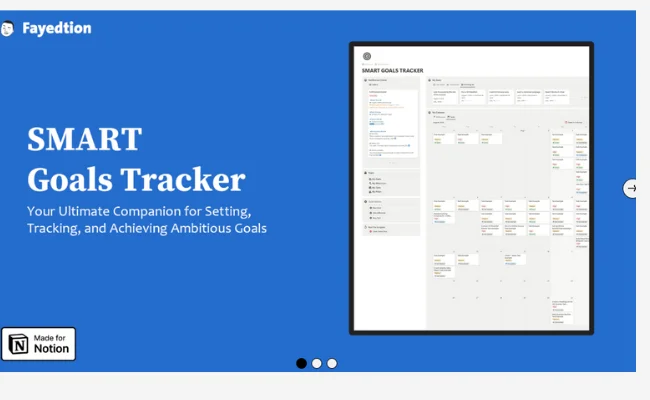
I used this template when I wanted to plan with more structure, and it genuinely reshaped how I set goals. The SMART framework (Specific, Measurable, Achievable, Relevant, Time-bound) made me intentional and accountable. It’s perfect for anyone who likes a systematic approach to goal-setting.
Key Features:
• Built-in SMART framework.
• Reflection fields for each goal.
• Clean, simple interface.
Pros
• Logical, structured layout.
• Great for clarity and focus.
Cons
• A bit text-heavy.
• Not very visual.
Best For: Professionals or students who want a framework-driven planner.
My Take: Straightforward but effective — this one keeps your goals realistic and measurable.
→ Get SMART Goals Tracker (Pay What You Want):
3. Life Goals OS (by Edwindoit) — 💰 $39
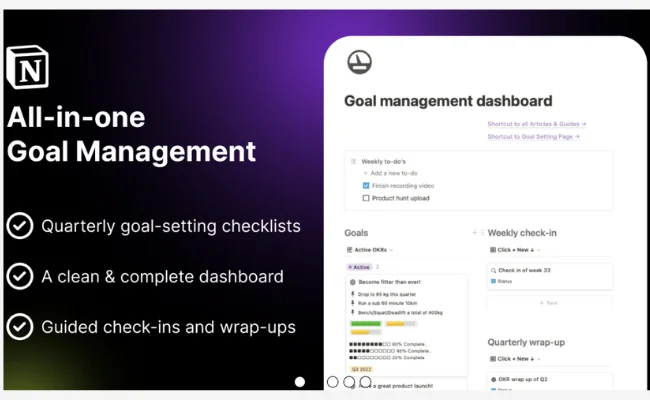
This has been my main Notion system for over a year. It’s more than a goal tracker — it’s a complete life-management tool with OKRs, reflection prompts, and grading systems. I use it to manage my yearly goals, habits, and personal projects — it’s become my daily dashboard for growth.
Key Features:
• OKR-based goal system.
• Reflection and grading pages.
• Life domain segmentation (Health, Finance, Career, etc.).
Pros
• Extremely detailed and organized.
• Great for long-term growth tracking.
Cons
• Requires initial setup time.
• Slight learning curve.
Best For: People serious about self-improvement and tracking progress deeply.
My Take: It’s like having your own personal growth command center inside Notion.
→ Get Life Goals OS – $39:
4. Life OS (by Gridfiti) — 💰 $49
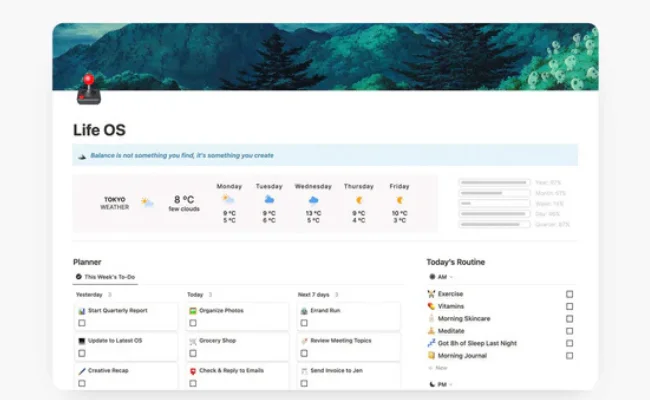
I used Gridfiti’s Life OS for three months, and it’s easily one of the most polished Notion systems I’ve seen. It combines goals, tasks, habits, and finances — making it ideal if you want an all-in-one life planner. Every page feels cohesive and thoughtfully designed, keeping you productive and inspired.
Key Features:
• Connects goals, habits, finances, and content tracking.
• Beautiful, minimal dashboard aesthetic.
• Integrates all areas of life seamlessly.
Pros
• Visually stunning and smooth to navigate.
• Excellent for complete life management.
Cons
• Can be overwhelming for simple users.
• Takes time to personalize.
Best For: Creators, entrepreneurs, and busy professionals who want everything in one OS.
My Take: A top-tier Notion system — aesthetic, balanced, and functional in every sense.
→ Get Life OS by Gridfiti – $49:
5. Balance OS 2.0 (by Karl Gam) — 💰 $15–18
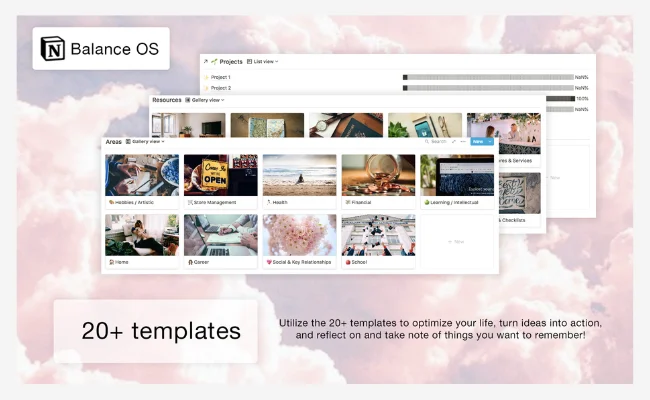
When I wanted something simpler yet powerful, Balance OS 2.0 hit the mark. It combines PARA, GTD, and reflection systems — all without feeling heavy. I used it during a busy work phase, and it helped me stay centered, focused, and calm while still achieving measurable progress.
Key Features:
• Combines PARA + GTD + goal tracking.
• Weekly review and reflection pages.
• Neutral, soothing layout for minimal distractions.
Pros
• Structured but not rigid.
• Ideal for focused deep work.
Cons
• Slightly database-heavy for beginners.
• May require small layout tweaks.
Best For: Users who want a peaceful yet productive Notion setup.
My Take: A perfectly balanced system — thoughtful design with substance behind it.
→ Get Balance OS 2.0 – $15–18:
6. Ultimate Goals Dashboard (by Gridfiti) — 💰 $15–25
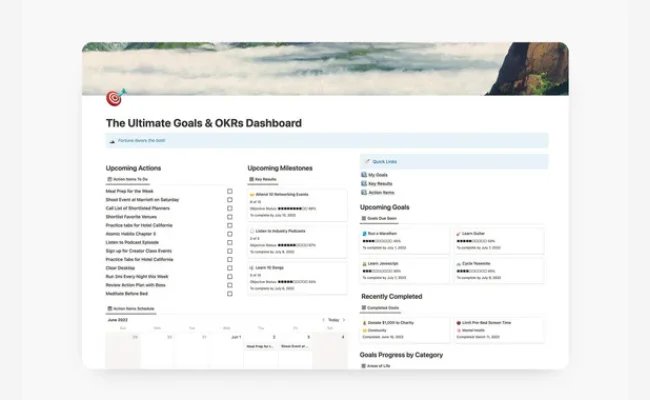
When I wanted a more visual way to track my quarterly goals, this dashboard became my go-to. Watching the progress bars move each week felt genuinely motivating. It’s built on OKRs but adds Gridfiti’s signature design polish — bright, clean, and rewarding every time you open it.
Key Features:
• OKR-based structure with dynamic visuals.
• Custom progress bars and charts.
• Separate dashboards for short- and long-term goals.
Pros
• Incredibly visual and motivating.
• Easy to track performance at a glance.
Cons
• Might feel “extra” if you prefer minimal layouts.
• Limited flexibility beyond goal tracking.
Best For: Visual thinkers who love seeing tangible progress.
My Take: It makes achieving goals feel like a dopamine boost — you’ll actually look forward to updating it.
→ Explore Ultimate Goals Dashboard:
7. Ultimate Brain (by Thomas Frank) — 💰 $49
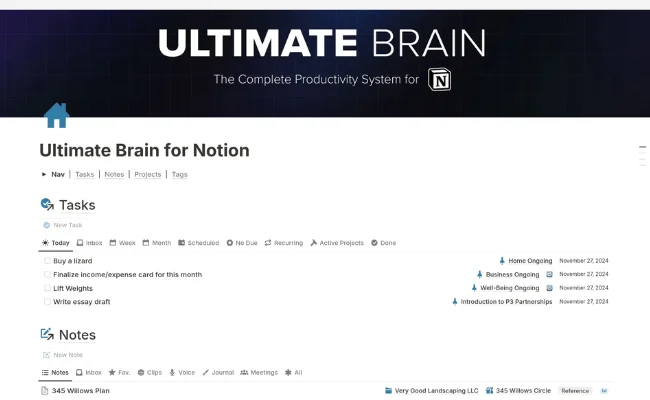
I’ve used Ultimate Brain since 2023, and it’s been the foundation of my digital organization. It connects tasks, notes, projects, and goals so seamlessly that I stopped jumping between tools. The built-in tutorials helped me adapt quickly, and it’s still one of the most powerful Notion setups I’ve used.
Key Features:
• Full second-brain system (tasks, projects, notes, goals).
• Automated relations and dashboards.
• Lifetime updates and training resources.
Pros
• Extremely robust and scalable.
• Designed by a trusted Notion expert.
Cons
• Takes time to master.
• Slightly heavy for casual users.
Best For: Power users who want everything — notes, tasks, and goals — in one place.
My Take: It’s the only system that’s never failed to keep me organized, even during chaotic weeks.
→ Get Ultimate Brain by Thomas Frank:
8. Goal Master (by Notion Marketplace) — 💰 $29
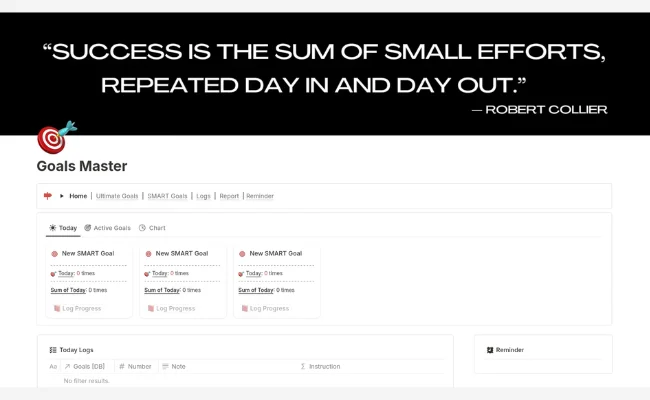
I tried Goal Master mainly to test its analytics — and it completely exceeded expectations. It tracks real metrics like hours worked, workouts completed, or money saved, all with clean progress visuals. It’s simple but gives you the satisfying feeling of seeing your numbers rise.
Key Features:
• Real-time analytics and metrics tracking.
• Visual dashboards and formula-driven stats.
• Customizable goal types (time, financial, habit).
Pros
• Great insight through data.
• Motivating progress tracking visuals.
Cons
• Interface text may need minor translation.
• Slightly technical setup for first-timers.
Best For: Analytical goal-setters who love measurable progress.
My Take: It’s like having a performance tracker for your goals — clean, insightful, and motivating.
9. Resolution Board — 💰 $10

I used Resolution Board during a 30-day fitness challenge, and it turned goal tracking into a game. Every milestone “leveled up” my dashboard, which made me oddly excited to log progress. It’s simple, motivating, and a great pick if you struggle with staying consistent.
Key Features:
• Gamified XP and level-up mechanics.
• Habit-based tracking layout.
• Minimal but colorful visual feedback.
Pros
• Adds fun to progress tracking.
• Encourages daily consistency.
Cons
• Not ideal for complex multi-project goals.
• Limited reporting or analytics.
Best For: Anyone who finds motivation in gamified systems.
My Take: A refreshing, playful approach — it makes self-improvement feel like a quest instead of a chore.
→ Get AchievoSphere by Hyeukiyo
10. Optimal Resolution System (by Nicheplates) — 💰 $29
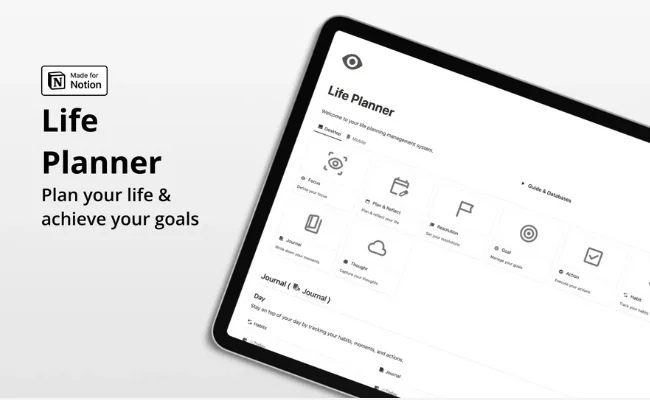
Every January, I return to this template to reset my direction for the year. It helps me define clear resolutions, break them down by quarter, and review progress thoughtfully. It’s not automated, but the act of manual reflection makes each review session more meaningful.
Key Features:
• Yearly and quarterly planning dashboards.
• Reflection prompts for each goal period.
• Goal grading and summary pages.
Pros
• Encourages mindful, intentional planning.
• Great for yearly vision mapping.
Cons
• Manual updates required.
• Less suited for short-term goals.
Best For: People who like annual resets and reflective planning sessions.
My Take: A calm, journal-like framework for anyone who prefers intentional over reactive goal setting.
→ Explore Optimal Resolution System:
11. Balance OS (by Karl Gam) — 💰 Pay What You Want
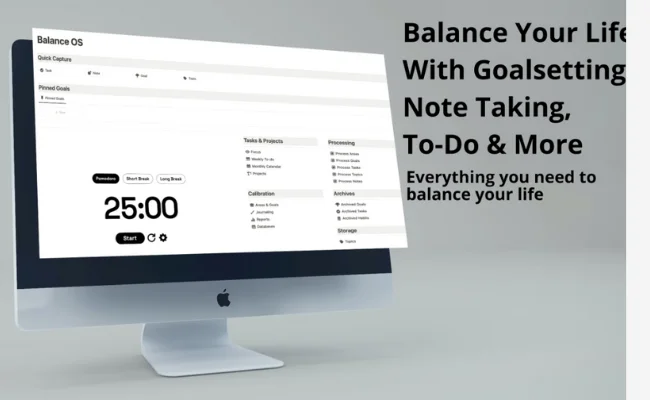
I discovered this version when I wanted something calmer and lighter than Balance OS 2.0. It focuses more on journaling and reflection than deep database management. I used it during a slower phase of my year—it helped me stay grounded while still feeling productive.
Key Features:
• Combines daily journaling, task planning, and goal setting.
• Clean, aesthetic dashboard for mindful productivity.
• Reflection pages to help track mood and progress.
Pros
• Peaceful layout with mindful structure.
• Great balance between reflection and action.
Cons
• Limited analytics features.
• Requires light customization.
Best For: Users who prefer slow, intentional productivity rather than hustle.
My Take: If Balance OS 2.0 is the engine, this is the cozy cabin—quiet, simple, and refreshing.\\
12. OKR Notion Goal Tracker (by AMIIC Flow) — 💰 Free / Paid
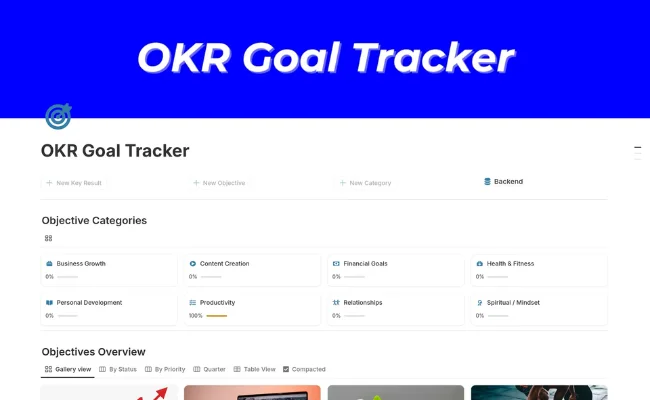
I used this while helping my small team manage quarterly goals, and it worked surprisingly well. It’s built around OKRs and measurable outcomes, so every target has clear key results attached. The formula-driven dashboard keeps everything organized and transparent across projects.
Key Features:
• OKR management system for individuals & teams.
• Formula-based progress tracking.
• Built-in quarterly planning and review pages.
Pros
• Simple yet professional structure.
• Great for aligning team or business goals.
Cons
• Lacks personal goal flexibility.
• Limited visual customization.
Best For: Founders, managers, or professionals running OKR-based workflows.
My Take: A no-nonsense tracker for results-driven people—it’s practical and business-ready.
13. Notion Second Brain (by PathPages) — 💰 $77
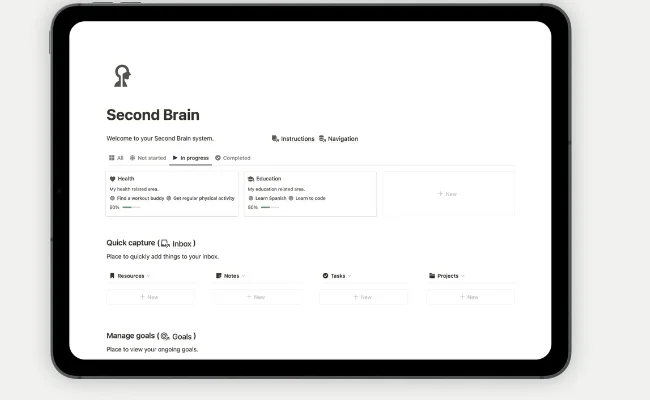
This one took me a full weekend to set up—but it was worth every minute. Built on PARA and GTD, it helped me manage all my projects, notes, and goals in one fluid system. After a few weeks, I noticed I was thinking more clearly and finding things faster—it really does feel like an external brain.
Key Features:
• PARA + GTD-based organization framework.
• Integrated task, project, and goal management.
• Light & dark theme customization.
Pros
• Deep structure, ideal for complex workflows.
• Elegant design and fluid usability.
Cons
• Takes initial setup time.
• Best for intermediate or advanced Notion users.
Best For: Creators and professionals who live inside Notion daily.
My Take: If you’re ready to build a real digital system that mirrors your brain, this is it.
→ Get Notion Second Brain – $77
🆓 Best Free Notion Goal Tracker Templates
These free templates are lightweight yet effective — perfect for students, beginners, or anyone testing Notion’s goal-tracking potential.
14. Goals & Milestones (by MrBio) — 💰 Free
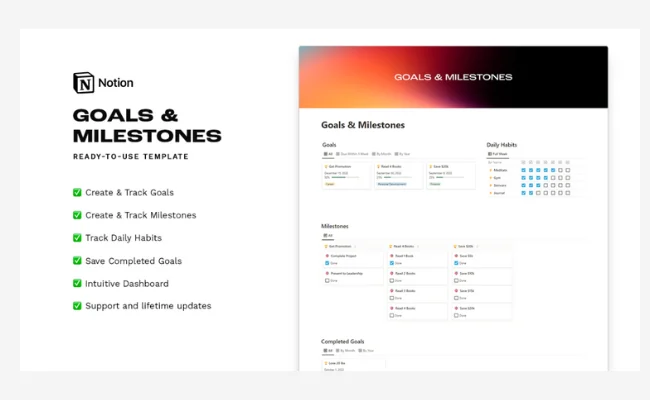
When I was building my Content OS project, I used this to break big ideas into small, trackable milestones. It’s light but super effective—you can literally see your journey unfold step by step. Each milestone completion gives you a mini sense of victory that keeps you going.
Key Features:
• Milestone-based tracking layout.
• Visual progress bar for each goal.
• Simple and quick to set up.
Pros
• Motivating and visual progress design.
• Perfect for creative projects or side goals.
Cons
• No automation or analytics.
• Limited for multi-goal projects.
Best For: Individuals who want a simple roadmap for creative or personal projects.
My Take: A straightforward tracker that helps you stay consistent by celebrating small wins.
→ Download Goals & Milestones (Free)
15. Notion Goal Tracker Template (Official Notion) — 💰 Free
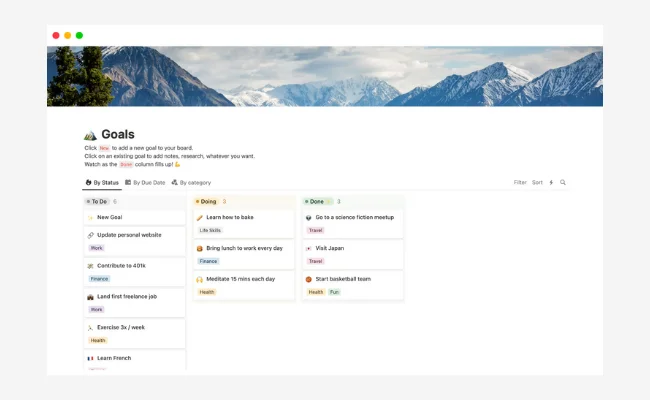
Whenever I start a fresh workspace, I duplicate this official Notion template. It’s clean, dependable, and integrates perfectly with everything in the Notion ecosystem. It’s not fancy, but that’s the point—it’s quick, simple, and gets you started in seconds.
Key Features:
• Pre-built Notion database for goal tracking.
• Simple status and priority fields.
• Works seamlessly with Notion’s native UI.
Pros
• 100% free and ready to use.
• Perfect for quick goal capture.
Cons
• Too basic for advanced users.
• No analytics or visuals.
Best For: Beginners or anyone testing goal tracking for the first time.
My Take: The ideal “starter template”—clean, reliable, and effortless.
→ Access Official Notion Goals Template:
16. SMART Notion Goal Tracker (by AMIIC Flow) — 💰 Free
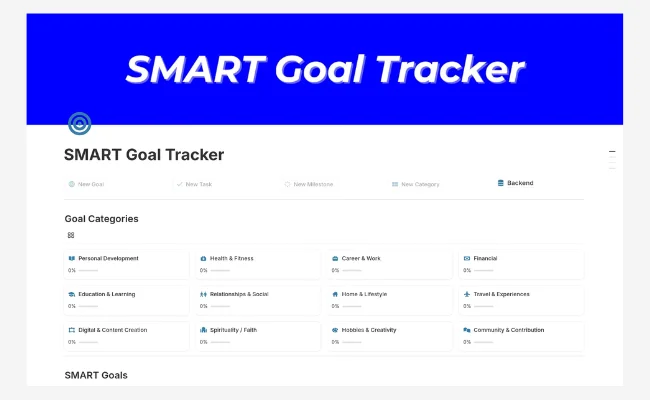
I tested this template when I wanted to experiment with the SMART system without committing to a premium OS. It’s simple but incredibly useful—the pre-filled examples show exactly how to plan measurable goals. Within a few minutes, I was already tracking progress toward personal and work targets.
Key Features:
• SMART (Specific, Measurable, Achievable, Relevant, Time-bound) format.
• Auto-calculating progress bars.
• Clean layout with built-in examples.
Pros
• Minimal setup—ready to use instantly.
• Great for structured, logical goal setting.
Cons
• Basic visuals and design.
• Limited long-term analytics.
Best For: Users who want clarity and direction without extra complexity.
My Take: It’s the perfect SMART introduction—simple, guided, and genuinely helpful.
→ Download SMART Goal Tracker (Free)
17. Notion Goal Planner (by Pascio) — 💰 Free
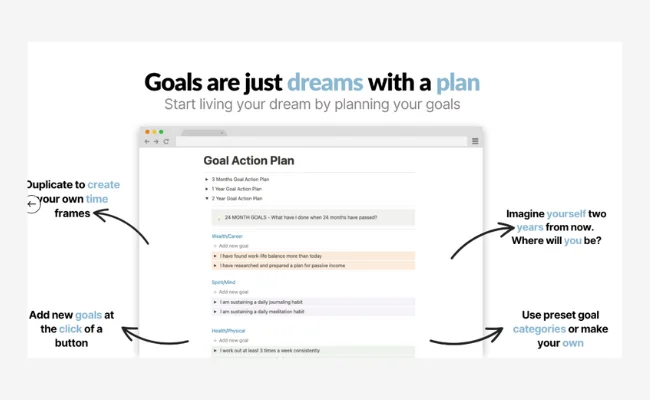
I used this planner to map out my fitness transformation goals, and it worked surprisingly well. Each goal starts with a “why,” followed by actionable steps and checkpoints. The template forces you to think deeply, helping you connect motivation with measurable action.
Key Features:
• Step-by-step guided goal setup.
• “Why–How–When” breakdown structure.
• Linked database for tracking milestones.
Pros
• Thoughtful and reflective framework.
• Easy to adapt for any kind of goal.
Cons
• Manual updates needed.
• Lacks visual charts.
Best For: People who enjoy writing, reflecting, and building purpose-driven goals.
My Take: It’s like a digital coach—it helps you find your motivation before you chase results.
→ Get Pascio’s Goal Planner (Free)
18. Goals & Productivity System (by Ayk) — 💰 Free
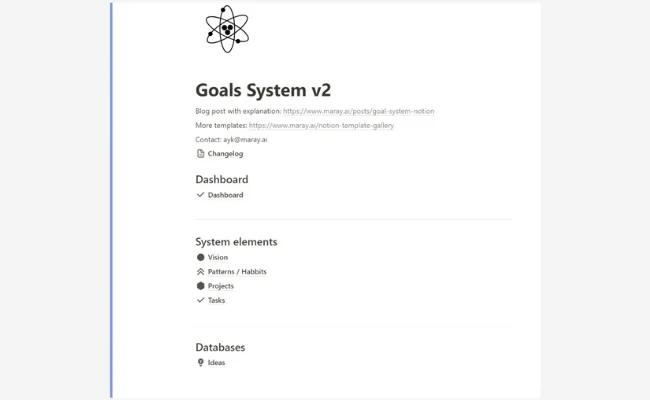
I stumbled upon this one while testing free GTD-style systems, and it’s a hidden gem. It merges a vision board, task manager, and goal tracker into one smooth workflow. I used it for a two-week productivity sprint and found it surprisingly robust for a free template.
Key Features:
• Combines goals, daily tasks, and reflection.
• Built-in vision board.
• Balanced layout between aesthetics and function.
Pros
• Comprehensive all-in-one system.
• Great for both personal and work projects.
Cons
• Slightly cluttered for very small projects.
• Needs light cleanup for minimal users.
Best For: Those who want a versatile free OS without paying for premium tools.
My Take: An underrated powerhouse—it feels like a paid template hiding under a free tag.
→ Download Goals & Productivity System (Free):
19. SMART Goals Tracker PRO (Gamified) — 💰 Pay What You Want
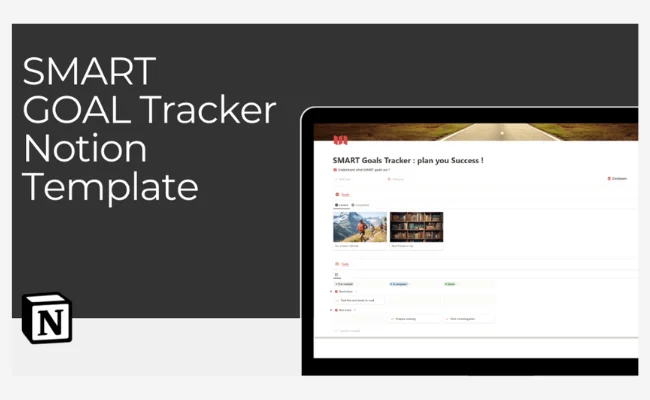
I tried this for my 30-day content-creation challenge, and it turned goal tracking into a fun little game. Each milestone gave me XP points and “leveled up” my progress bar. The gamified setup kept me hooked—it felt like I was earning progress rather than just recording it.
Key Features:
• XP-based level system for progress.
• Visual dashboard with achievements.
• SMART-based structure integrated with gamification.
Pros
• Highly motivating and engaging.
• Great for habit streaks or challenges.
Cons
• Not ideal for corporate or team OKRs.
• Lighter on analytics.
Best For: Creatives and solo workers who love gamified motivation.
My Take: Fun, fast, and fresh—it makes consistency feel like a game you actually want to win.
→ Get SMART Goals Tracker PRO (Pay What You Want)
🧠 My Take
These goal-tracking templates make it easy to stay consistent, visualize progress, and actually finish what you start.
Whether you prefer a free minimal tracker or an advanced Notion OS — the best system is the one you’ll actually use.
❓ FAQs – Notion Goal Tracker Templates
1. What is the best free Notion goal tracker?
If you’re just starting out, Easlo’s Goal Tracker is the best free option. It’s simple, clean, and perfect for keeping your goals organized without any setup hassle.
2. Are paid Notion goal trackers worth it?
Yes — paid templates like Life OS (by Gridfiti) or Balance OS (by Karl Gam) offer advanced dashboards, automation, and habit integrations that help you stay consistent and visualize long-term progress.
3. Can I use these templates for both personal and professional goals?
Absolutely. Most templates here support multiple goal types — from fitness and finance to OKRs and business outcomes — so you can manage everything inside a single Notion workspace.
4. What’s the difference between a goal tracker and a habit tracker in Notion?
A goal tracker helps you set, plan, and measure big objectives (like “Run a 10K” or “Launch a product”), while a habit tracker focuses on the daily actions that lead to those goals. Many of the templates listed combine both.
5. How do I import these templates into my Notion account?
Simply click the link, then select “Duplicate” in the top-right corner of the Notion page. The template will be added instantly to your workspace — ready to customize.
📚 Explore More Notion Templates & Guides
If you liked these goal tracker templates, here are more curated Notion resources to help you stay productive, organized, and creative:
25 + Free & Best Notion Templates for Students — Plan your courses, assignments, and study goals in one Notion workspace.
15 Best Notion Workout Tracker Templates (2025) — Track your workouts, habits, and progress visually.
19 Best Notion Travel Planner Templates (2025) — Plan trips, itineraries, and memories with smart Notion dashboards.
41 Best Notion Budget Templates (2025) — Organize finances, track expenses, and set saving goals easily.
